Drop us a line anytime!



Transparency and Security
JDisc Discovery
Lan Scanner Software for You!
Our IP scanner scans your network from a central location and creates records for all devices- from home automation to complex data center equipment.
Customer oriented
Our goal is that our solution fits your requirements.
Therefore, we support you during the trial period with videos, FAQs, and consulting via remote screen-sharing.
We Have No Limits
Our vision is to identify virtually all devices in your network. We don’t limit our solution to device types, operating systems, small, or large networks. Whether you scan just a network camera, a laptop, or large server environments with complex dependencies, we want to find them all!
Quick Results
Our solution has been optimized for ease of use. It is easy to install within minutes (no need to install third-party dependencies like databases or web servers). Wizards help with the initial configuration and get your first scan results within minutes.
Benefits we provide to our customers
Our Approach
Companies and organizations expect transparency and cost effectiveness from their IT.
JDisc supports IT organizations, IT service providers and consultants with current and accurate IT inventory information. All major operating systems and device types are supported in a vendor independent manner
We are a small motivated team of network specialists and developers
We love what we do: creating first class network inventory solutions.
We focus on our strengths to create excellent products
Test our software thoroughly before you buy!
We support you at every step - free of charge
The path to a new inventory tool is so important to us
Learning is something we do almost every day
The #1 Network Discovery Software
Find the right license plan for your needs!
LICENSE MODELS
CALCULATE HOW MANY CREDITS ARE REQUIRED
We offer the right license type for every use case. Contact our sales if you have any further questions. Check out our pricing calculator in order to get a quote for your environment.
Perpetual
Once
Perpetual License
Subscription
ANNUAL
Annual Subscription
Project
ONCE
Project License
TESTIMONIAL
What our customers saying?
ISVs/Strategic partners
Together with our strategic partners, we develop integrated solutions.









We work closely with our partners
We combine the strengths of each partner product to a fully integrated IT solution.
Would you like to use our data in your software?
We have an API to extract data from JDisc Discovery easily!
From our Blog

Improved Password Manager Integrations
Dear JDisc friends, we added a pretty cool improvement for our Delinea SecretServer integration. You might know that we can.
Read More 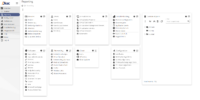
Web UI – Custom Reports
Dear JDisc friends, One of the significant features that JDisc Discovery provides, to strengthen reporting operations over the collected data,.
Read More SSH Vulnerability – CVE-2023-48795
Dear JDisc friends, we have been notified by our SSH client library vendor Jadaptive that there is a critical security.
Read More 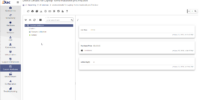
Web UI – Custom Attributes
Dear JDisc friends, Custom attributes allow users to extend device discovery with custom properties and attach them to devices. This.
Read More 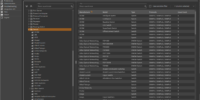
Supported Devices
Dear JDisc friends, As an IP scanner product that detects all devices on your network, we pretty often get the.
Read More 
Manage Access Credentials in JDisc Discovery
Dear JDisc users, JDisc Discovery requires access credentials to get excellent and complete inventory information. Configuring access credentials can be.
Read More 
JDisc Discovery – UI basics
Dear JDisc friends, As the new user interfaces reached public preview, we have created a series of videos to explain.
Read More 
Software Metering – Know what Software your Users actually use!
We have extended our Measurement Add-On with the new capability of Software Metering or Software Usage Tracking.
Read More 
JDisc Discovery scans Kubernetes Cluster
Dear JDisc users, we haven’t written new blog posts for a while due to the efforts to redesign our website..
Read More SSL Ports, Ciphers, Protocols and Certificates
Dear JDisc friends, with the coming build 5136, we have implemented a new feature to the Security and Dependency Mapping.
Read More 
Understand your IT Landscape better
Hello JDisc Friends, With our JDisc Discovery built-in reports and your custom reports, you have achieved a very good understanding.
Read More 
Using non-administrative accounts to discover Windows computers
Dear JDisc user, have you already been asked by your IT security department not to use local or domain users.
Read More 
Why Supportability is so important to us
Dear JDisc users, do you feel like the guy in the image when talking to support hotlines? Are you playing.
Read More Security Add-On: SSH Cipher, MAC, and Key-Exchange Algorithms
Dear JDisc users, As usual, we are constantly enhancing our data collection capabilities. This time, we have enhanced our security.
Read More 
oVirt Support Added
Dear JDisc friends, We are continuously improving our scanning capabilities. Starting with build 5130, we will support Red Hat’s oVirt.
Read More 
ObjectGears – A new CMDB Integration Partner
ObjectGears is a new integration partner with JDisc. Transfer data from JDisc Discovery into the ObjectGears CMDB.
Read More 
Do you know all your Dishwashers?
Dear JDisc friends, we are constantly adding new protocols to improve device detection. The upcoming version (5106) will add two.
Read More 
How to easily integrate JDisc with other Solutions!
JDisc Discovery automatically provides you with a lot of information on your IT infrastructure. It helps you get an entire.
Read More 
Survey results on our in-development new Web UI
Dear JDisc friends, as you already know, we have executed a survey about our new Web UI, during the period.
Read More 
JDisc Discovery integrates PAM Solution Passwordstate
Companies use more and more PAM (Privileged Access Management) tools to store, manage and rotate passwords for essential accounts (like.
Read More Contact Us